Passport Days counts them automatically from your iPhone: Schengen 90/180, UK absences, US stays and tax days, even your road to citizenship. No spreadsheets, no account.
Counters and tracking with Premium · No account
Example numbers
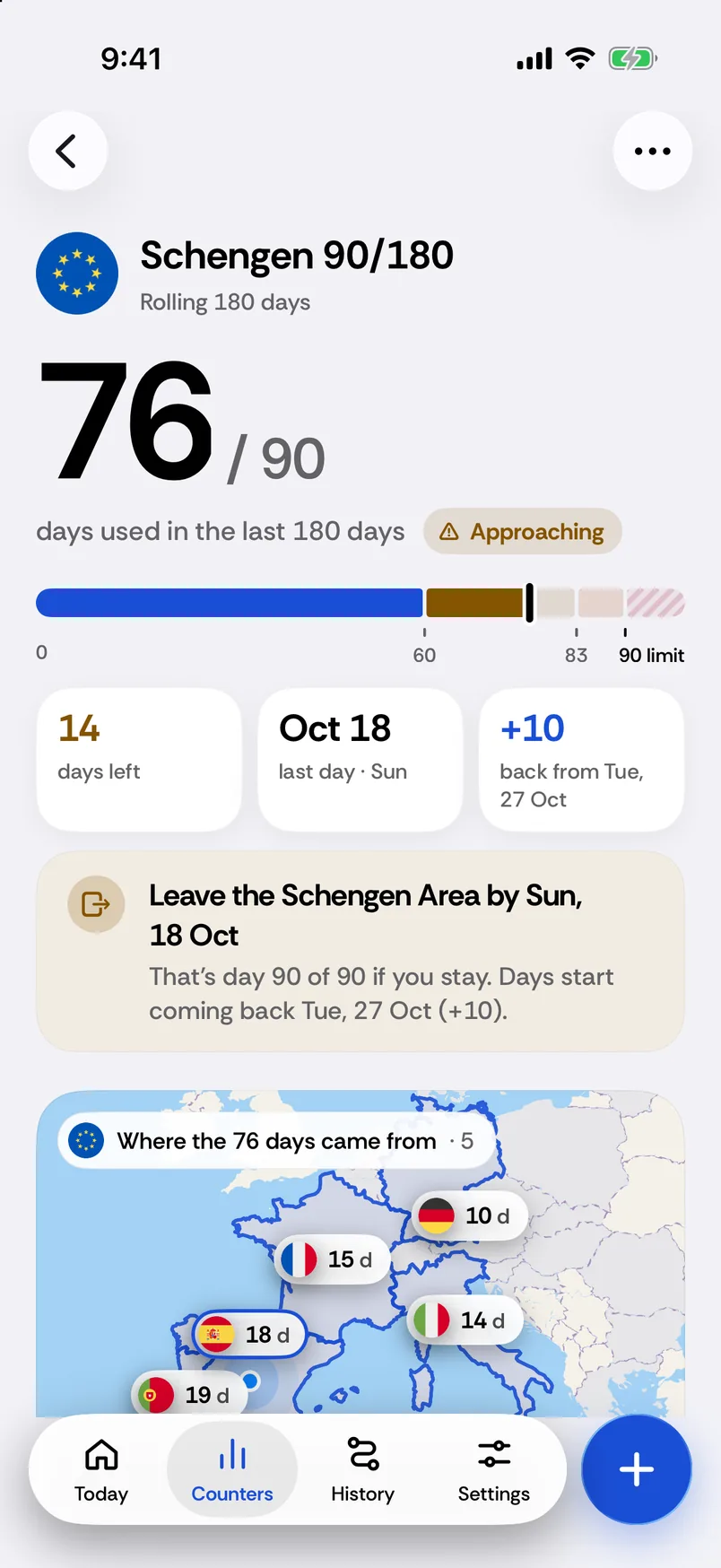
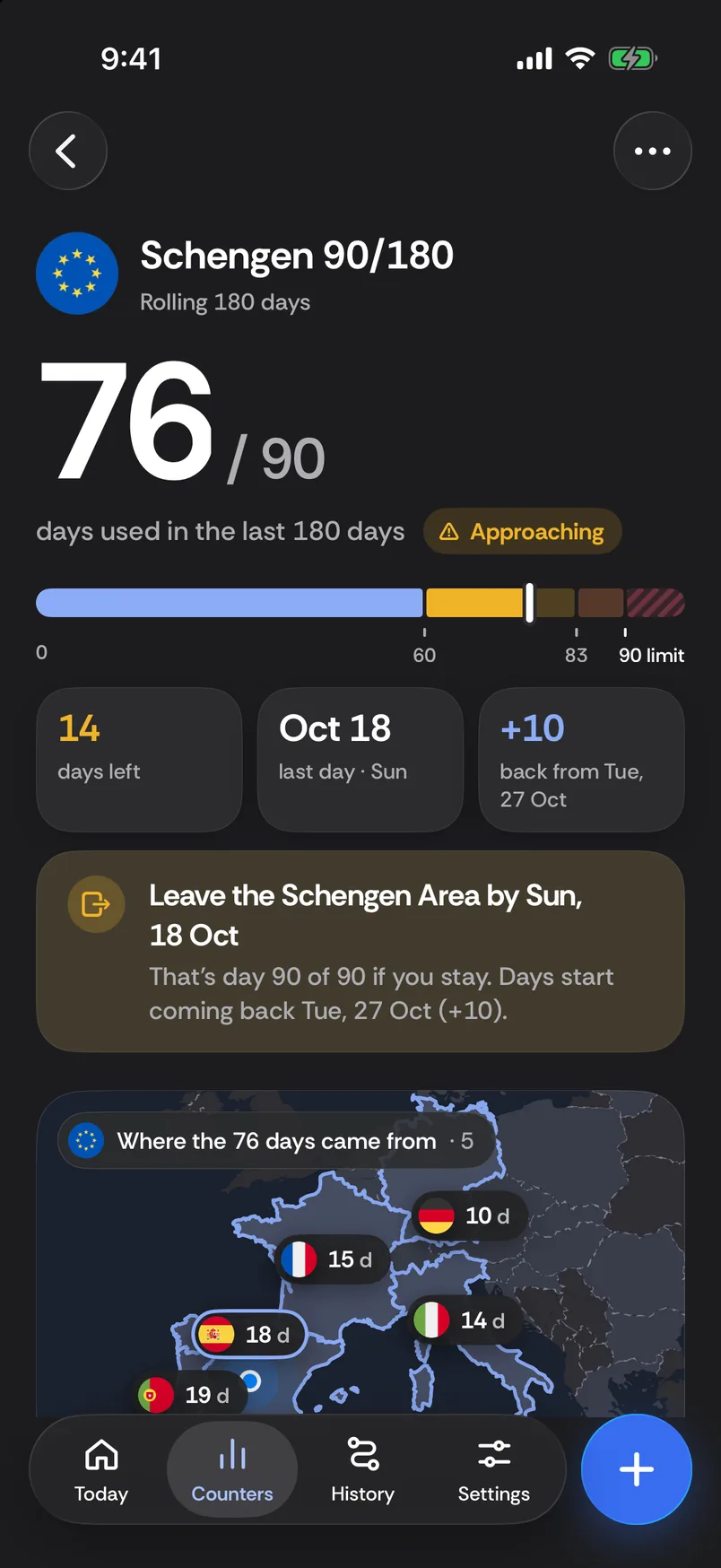
Schengen 90/180 · 14 days left76 of 90 used · last 180 days
UK visits · Australia passportAdd the document end date
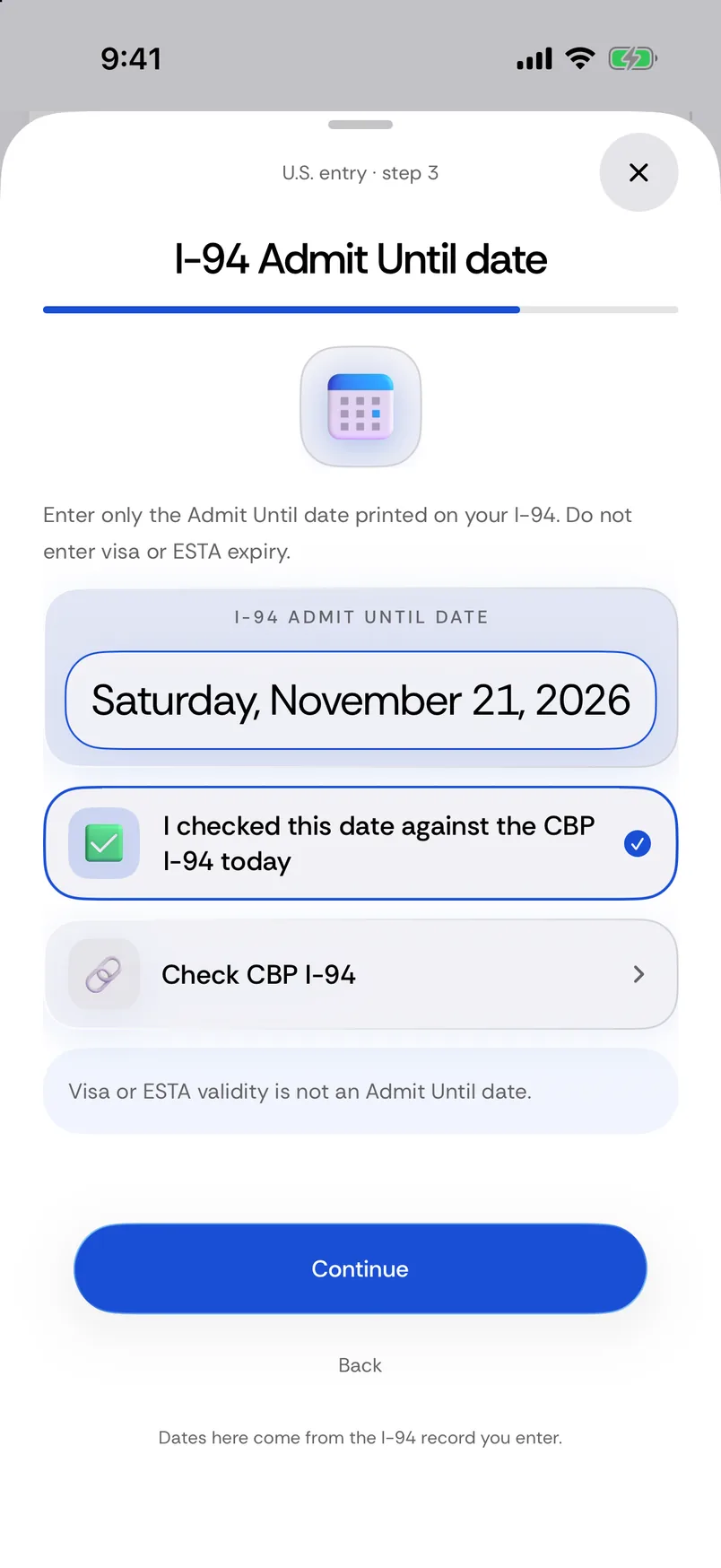
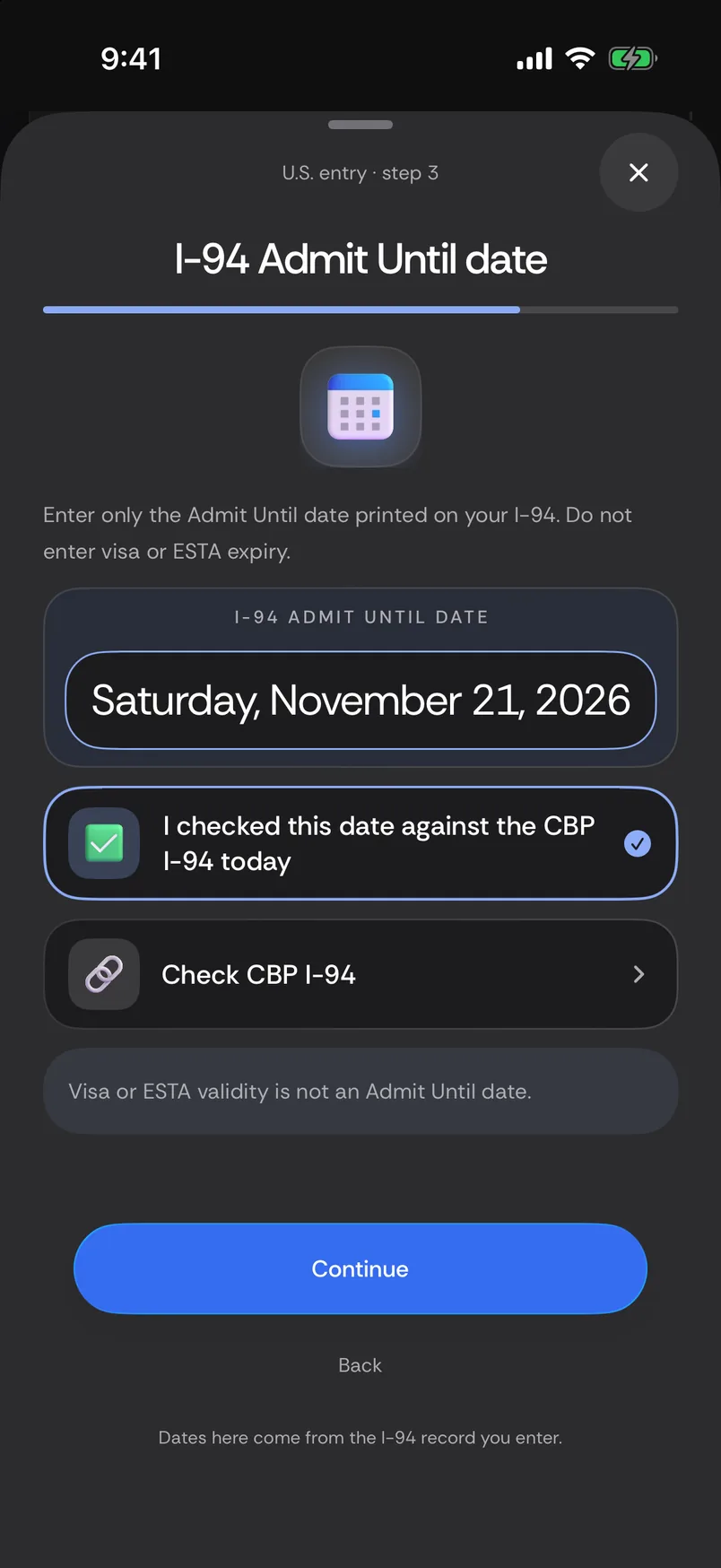
US entry (I-94)admitted until Nov 21, 2026
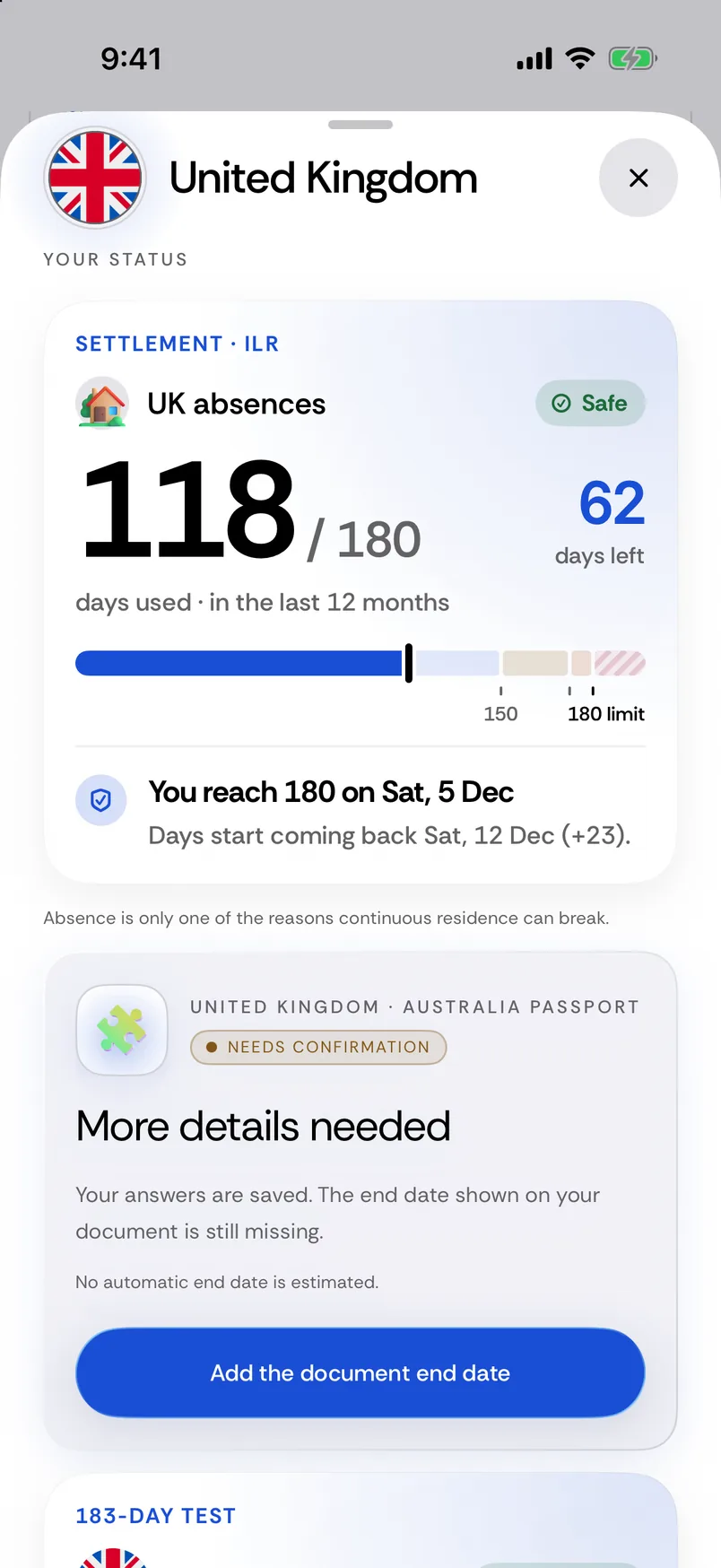
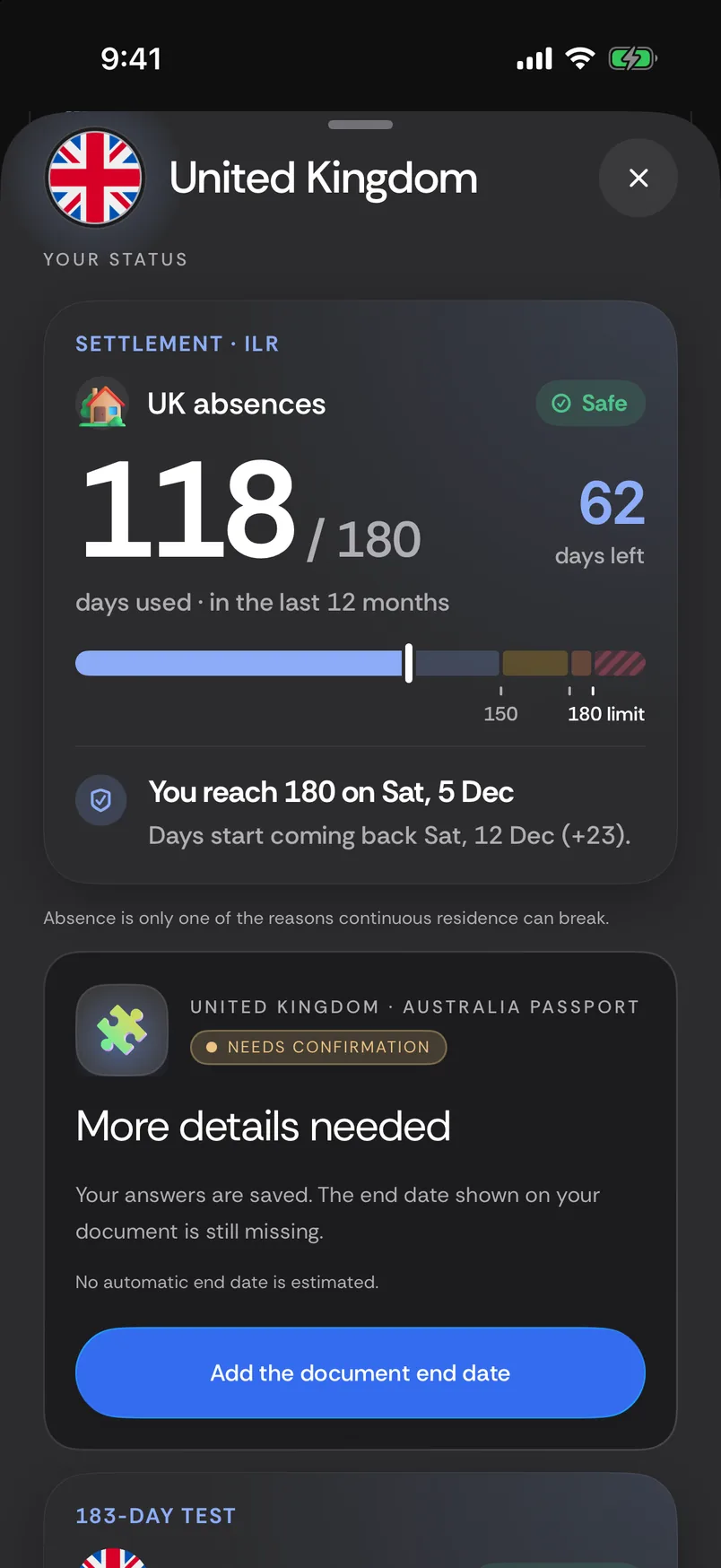
UK absences · 62 days left118 of 180 · last 12 months
Tax days · United Kingdom 101UK tax year · Spain 18 · Portugal 18
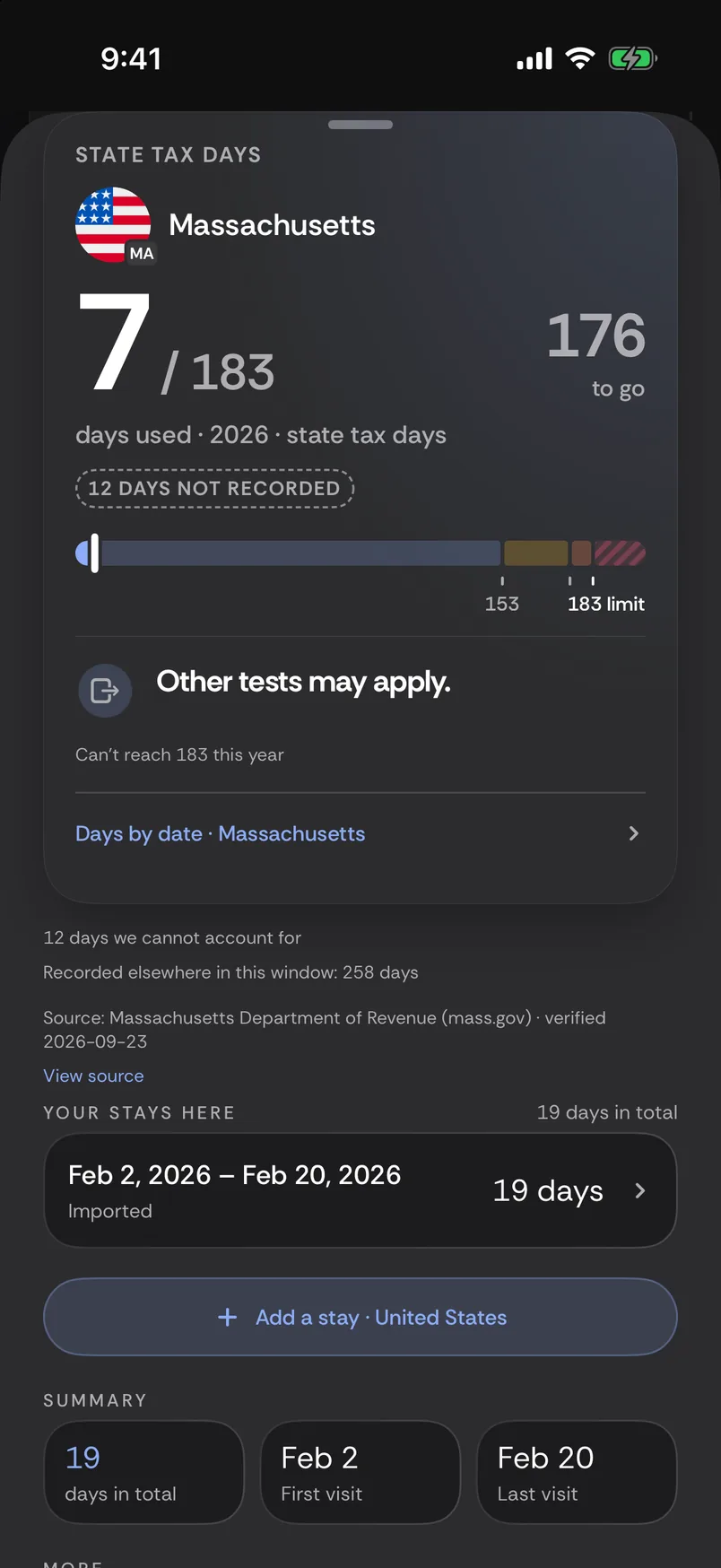
US states · Massachusetts 7 days12 days not recorded · other tests may apply
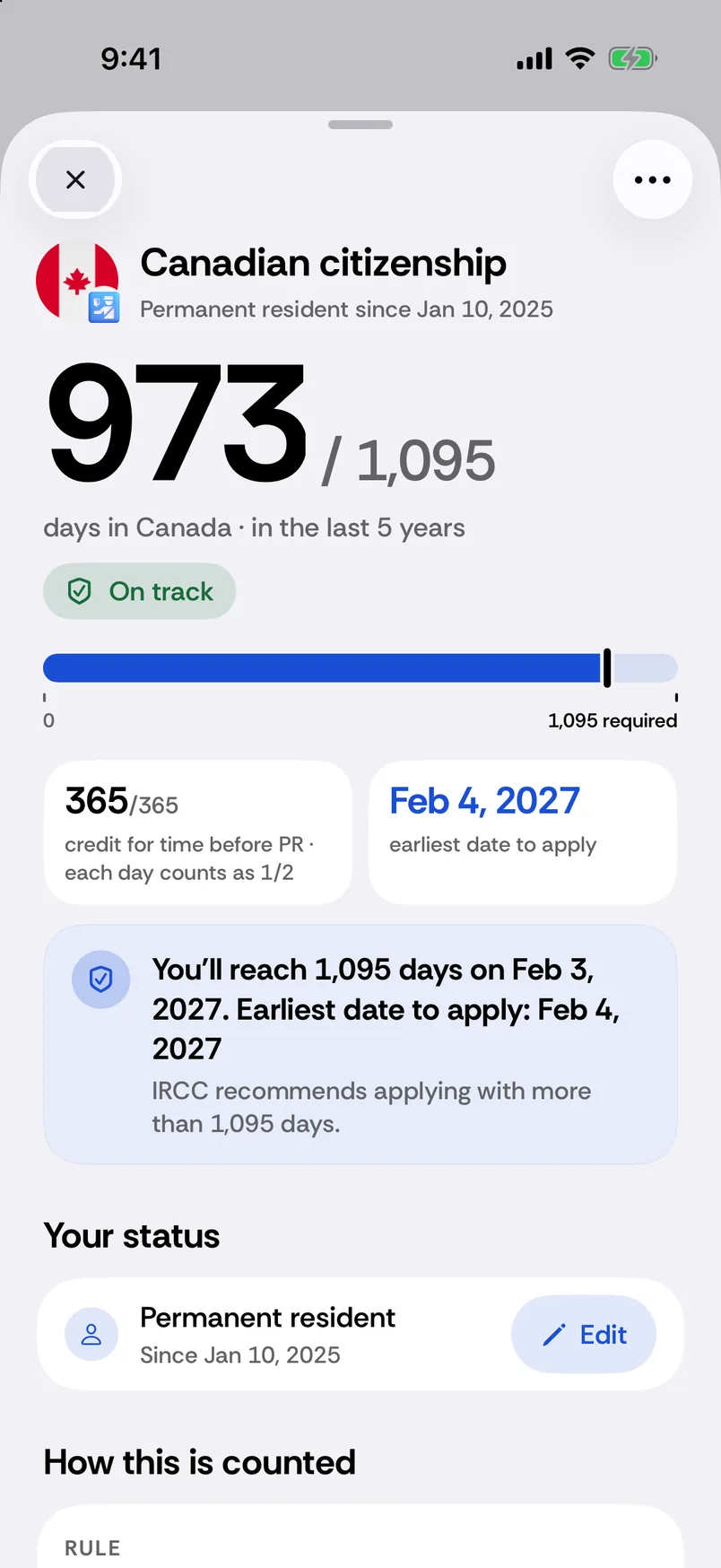
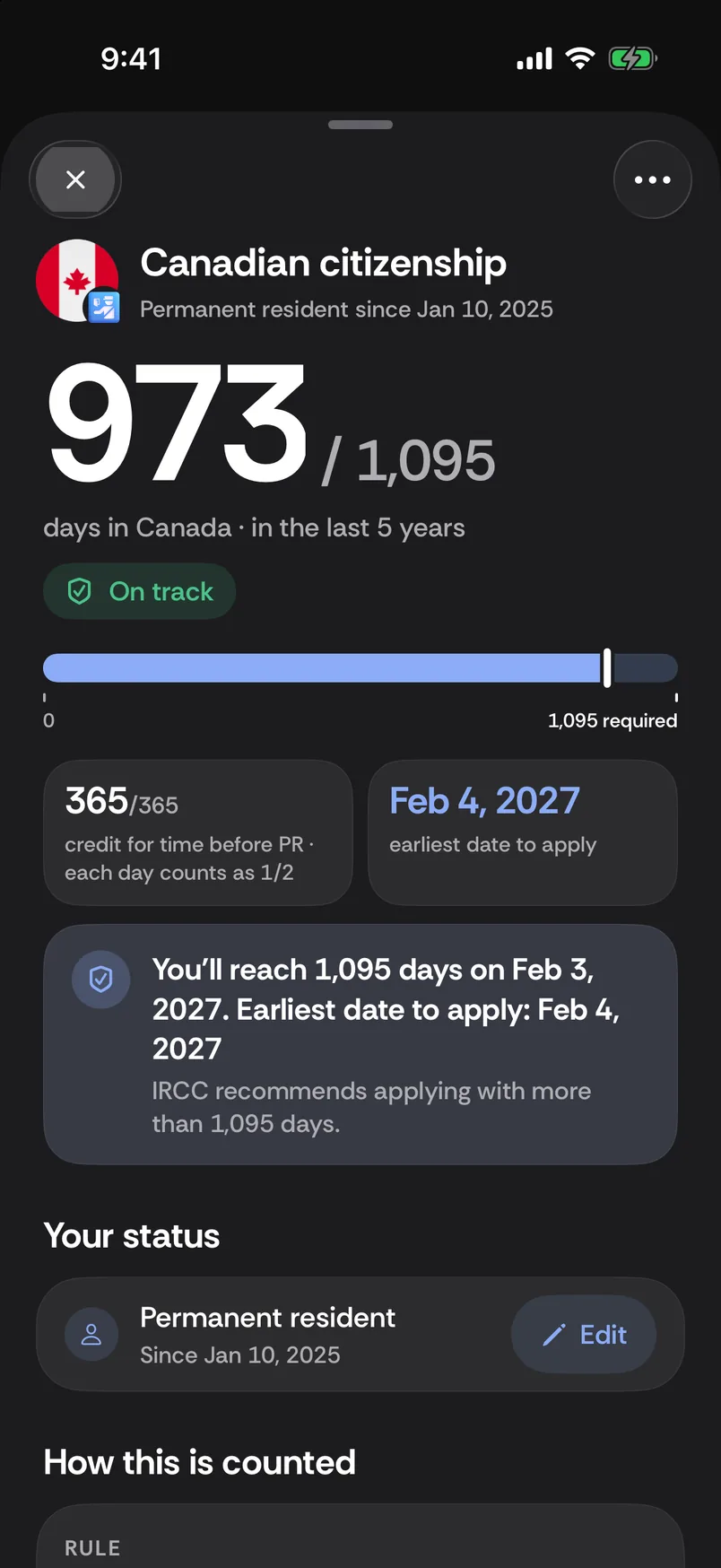
Canadian citizenship · 973 / 1,095On track · last 5 years
Earliest date to apply · 4 FebCanadian citizenship goal
Credit for time before PR · 365365 maximum · each day counts as ½
UK absences · 100 / 18080 days left · Safe · last 12 months
Schengen 90/180 · 58 / 9032 days left · Safe · last 180 days
UK absences · days coming backSat, 12 Dec (+23)
What it counts
Six counters, six rules.
Schengen 90/180. Days used and days left in the rolling 180-day window. The window moves with every day, and Passport Days shows the date your next used day comes back.
UK visits. A five-step setup records the permission you entered with. Enter the “allowed until” date from your document and it counts down to that date; with no date, it shows which day of your visit you are on.
US entry (I-94). Record the Admit Until date printed on your own I-94. Passport Days counts down to that date; it never works out a stay from your passport.
UK absences. Days outside the UK in the last 12 months, counted from your own stays. The absence threshold comes from the rule for the settlement route you pick.
Tax days by country. Days per country, counted the way each country counts, for 24 countries. Where a day threshold exists it is shown; where none does, the reason is.
US states. Days in each US state and DC, in that state’s tax year, with the threshold from the 26 states whose law sets one. Other tests may apply, including ties, domicile or a permanent home.
Example data
Schengen 90/180. Days used and days left in the rolling 180-day window. The window moves with every day, and Passport Days shows the date your next used day comes back.
Days used · last 180 days76 / 90
0306090
76 of 90 used14 days leftApproaching+10 back from Tue, 27 Oct
UK visits. A five-step setup records the permission you entered with. Enter the “allowed until” date from your document and it counts down to that date; with no date, it shows which day of your visit you are on.
United KingdomStep 2 of 5Permission or status
What permission or status did you use?
Standard Visitor permission
Selected in this example setup.
US entry (I-94). Record the Admit Until date printed on your own I-94. Passport Days counts down to that date; it never works out a stay from your passport.
UK absences. Days outside the UK in the last 12 months, counted from your own stays. The absence threshold comes from the rule for the settlement route you pick.
UK absencesLast 12 months
118of 180 days outside the UK62 days left · Safe
Reach 180 on Sat, 5 Dec Days back Sat, 12 Dec (+23)
Days you left and returned are not counted as days of absence.
Tax days by country. Days per country, counted the way each country counts, for 24 countries. Where a day threshold exists it is shown; where none does, the reason is.
Portugal18 / 183Last 12 months (nights) · Under 183
165 to go · 183-day limit
Days start coming back Mon, 9 Aug (+18).
US states. Days in each US state and DC, in that state’s tax year, with the threshold from the 26 states whose law sets one. Other tests may apply, including ties, domicile or a permanent home.
Massachusetts2026
7of 183 state tax days12 days not recorded
176 to go · 183-day limit
Other tests may apply.
Citizenship and residence · Premium
Your road to Canadian citizenship.
Citizenship goal1,095 days in the 5 years before you sign, with time before PR at half, up to 365.
PR card days730 days in 5 years, and the latest date to be back.
Plan the next tripPlanned trips show how the date moves before you book.
Planned trips can move the date. The detail page explains the window, day rule and sources.
973 / 1,095days in Canada · last 5 years
Feb 4, 2027earliest date to apply
Your road to ILR.
ILR absences180 days in any 12 months, with the date you would reach it and when days come back.
British citizenship goalA goal counter for British citizenship from your ILR date and trips.
Every trip countedYour recorded trips feed the count; correct one whenever you need to.
Planned trips can move the date. The detail page explains the window, day rule and sources.
118 / 180days outside the UK · last 12 months
62days left
Your dates, your next status.
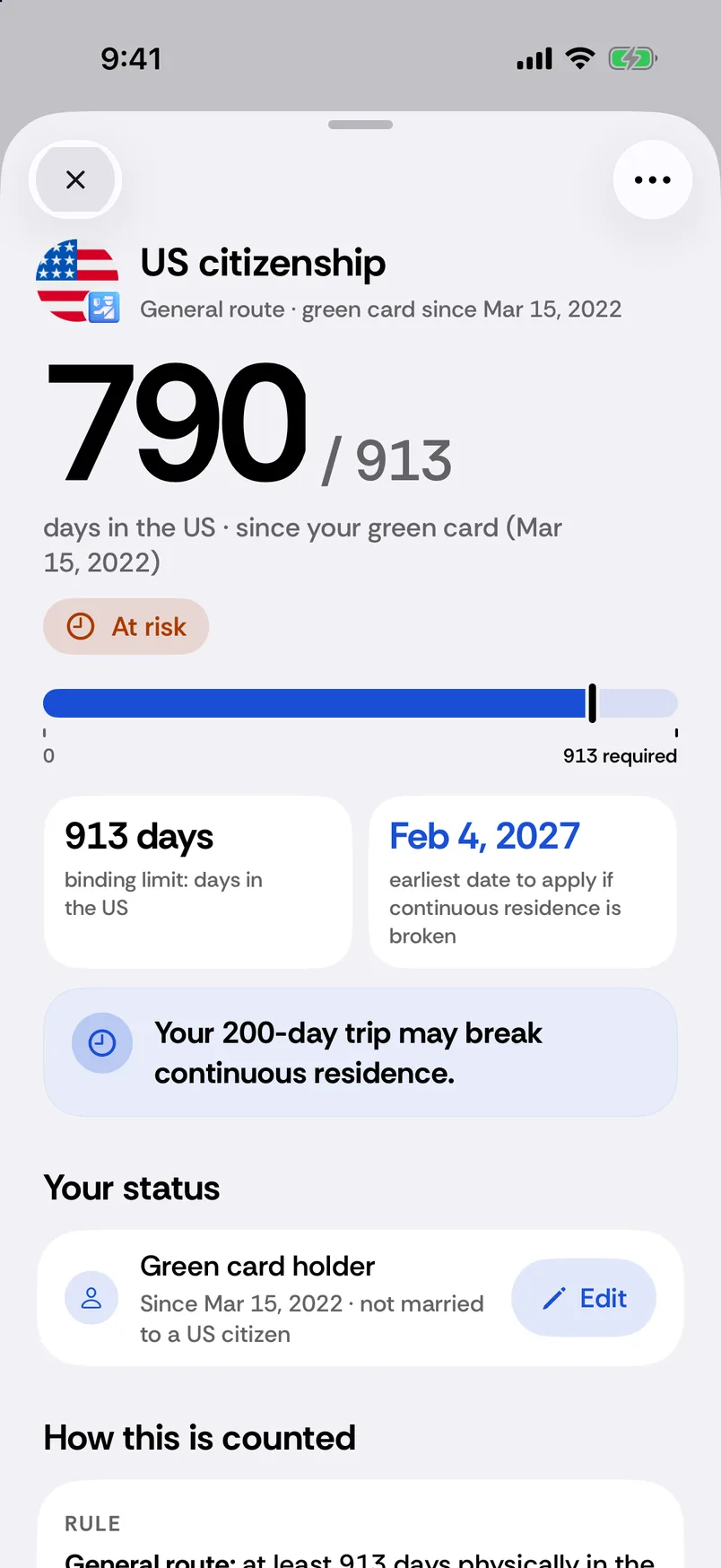
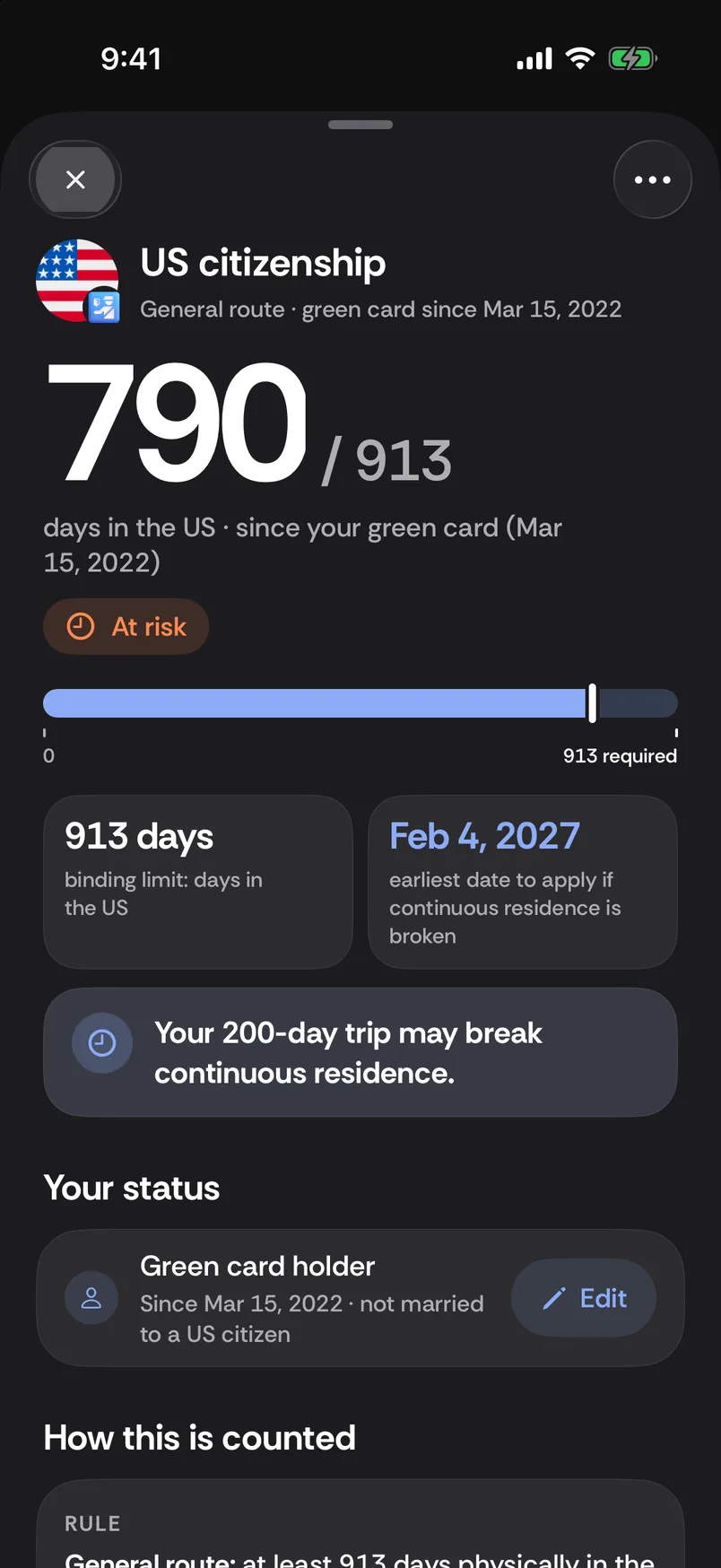
US citizenship goalDays in the US since your green card, against 913, with the date you could apply.
Long trips flagged earlyA trip that may break continuous residence is called out before it costs you time.
Residence permitsLiving in Europe on a permit? Days in your permit country are kept apart from your other Schengen days.
Planned trips can move the date. The detail page explains the window, day rule and sources.
790 / 913days in the US · since your green card
200-day tripflagged: may break residence
On your Home and Lock Screen
Ten widgets, one glance.
Widgets come with Premium and are refreshed once a day, at the start of the day.
Ten kinds
Primary allowance
Allowances
Countries
Countries List
Tax days, small and medium
UK absence
Country tax days
US state days
Lock Screen circular
Lock Screen rectangular
9:41
Passport Days
Countries ListLast year’s countries and their days, next to the app on your Home Screen.
Tax daysDays per state or country, each in its own window, side by side.
9:41
9:41
Lock ScreenA ring and a line for the allowance you watch, shown here in the app’s widget preview.
In the appYour widgets in the app’s widget preview, refreshed once a day.
Everything else
By hand, or on its own.
Premium
Automatic tracking
When you change country, or US state, the stay is recorded in the background. Review and correct it whenever you like. No continuous GPS; a few readings a day.
A recorded stay is a suggestion. Your correction is the truth.
Needs “Always” location access.
Always open
Manual entry, always open
A country and two dates. That is all it takes. A manual edit is never overwritten by later automatic tracking: your correction wins.
Always open
History and map, always open
Every stay, recorded or added by hand, editable at any time. Your countries and their days on a map, and where you are right now.
Premium
Add with AI
Describe a stay in your own words. Nothing is saved until you save it.
Premium
Reminders
A quiet word before a date or a limit arrives. No marketing, no streaks.
Premium
More than one passport
Rules follow the passport. Counters for more than one passport.
Always open
Export
CSV, JSON or a PDF summary, built on your phone. Your records stay open.
iCloud backup
Between your own devices, through your own iCloud private database. Switch it off any time.
9 languages
English, German, Spanish, Italian, Polish, Portuguese, Turkish, Ukrainian, Traditional Chinese.
No account. Counted on your phone. Synced only to your own iCloud.
Anonymous usage data
TelemetryDeck measures feature use without your trips or location. Sharing can be switched off in Settings. Apple handles first-open ad attribution without travel data.
No account
No sign-up, no password. We only see an email address if you add one to a request or support message.
Your readings
Location readings are never sent to third parties. With iCloud on, they sync only between your own devices; the JSON export carries them too, because they are yours.
Free tools · no sign-up
Got your dates? Count them free.
Seven calculators and five guides. They run in your browser and count with the same day rules as the app.
For iPhoneIn English, German, Spanish, Italian, Polish, Portuguese, Turkish, Ukrainian and Traditional Chinese
01
01
Tell it what you need
Five short questions, starting with what you need: visa-free days, tax residency days, days outside the UK, citizenship or residence, or simply where you have been.
02
02
Keep the counters it proposes
From your answers and your passport it suggests what to count. Turn any counter on or off later.
03
03
Add the trips you remember
A country and two dates, by hand, always open. With Premium, automatic tracking records new stays for you.
Passport Days is a day tracker for iPhone. Track days in each country, your Schengen 90/180 allowance, UK absences, US I-94 dates and days towards citizenship, with tax day counts by country and US state.
Yes. Passport Days tracks tax days by country and US state, using each rule’s own counting window and threshold. You can see your count and how close you are to the line. Other tests may apply.
Yes. Passport Days counts the Schengen 90/180 rule from your recorded trips and shows your days left, leave-by date and when days come back. Try the free Schengen calculator in your browser, or keep the count on your iPhone with Premium.
Yes. The counting itself works in airplane mode. The network is used for cloud AI (after you allow it), iCloud backup (which you can turn off), purchases, a request or support message when you tap Send, Apple Maps imagery in History ▸ Map, anonymous usage events (never your trips or location; you can turn them off), and Apple’s first-open ad attribution. No travel records are sent to Apple Maps; it receives the map area you view. Without a connection, the app shows its offline map.
No. There is no account and no password. An email address is only ever optional, on a request or support message you choose to send. Sync runs through your own iCloud, between your own devices, and you can switch it off.
History, including adding, editing and deleting stays, manual entry, export and importing your own CSV. Settings, Restore, Redeem code, Terms and Privacy stay open too. Counters are blurred until Premium is active; tapping one opens the plans screen. Automatic tracking also requires Premium.
It counts your recorded days in each rule’s window, shows day thresholds and estimates goal dates from your saved status dates and planned trips. The detail page explains the counting method and sources. Other requirements may apply.
Yes. With your permission, Passport Days reads the dates and places of the photos on your iPhone and suggests the trips it finds; your photos and their locations never leave the phone. You see the list and choose what to add. Seeing the trips is open to everyone; adding them to your history comes with Premium. Not every photo has a location, so you can always add or correct stays by hand.
Yes, for US, British and Canadian citizenship and for Canada's permanent residence obligation. It counts your days against each requirement in the window that rule uses, shows the earliest date to apply on your recorded days, and what planned trips would change. Other requirements may apply. Citizenship counters come with Premium.
It takes a few readings a day in the background, not continuous GPS, and needs “Always” location access. A recorded stay is a suggestion and your correction wins. A short visit can be missed, so your history is always yours to check and edit.
Day counts for 24 countries: 15 show a day threshold, and for the other 9 the app explains why no single number applies. All 50 US states plus DC are counted, with a threshold shown for the 26 whose law sets one.
Premium
Unlock your counters.
Counters and automatic tracking come with Premium: Yearly with a 14-day free trial for eligible new subscribers, or Lifetime with one payment.
Prices and purchase terms come from the App Store, in your currency.
With Premium
Every counter, with days left and dates
Automatic tracking from your location
Widgets on your Home and Lock Screen
Always open
History: add, edit and delete stays
Manual entry, export and CSV import
Settings, Restore, Redeem code
Without Premium the app opens as a locked showcase. Your records stay open when a trial ends or a subscription lapses.
Every day counted. Calmly.
Yearly with a 14-day free trial, or Lifetime. No account.
This screenYour iPhoneScan to downloadPoint your iPhone camera here; it opens the App Store.




















 Portugal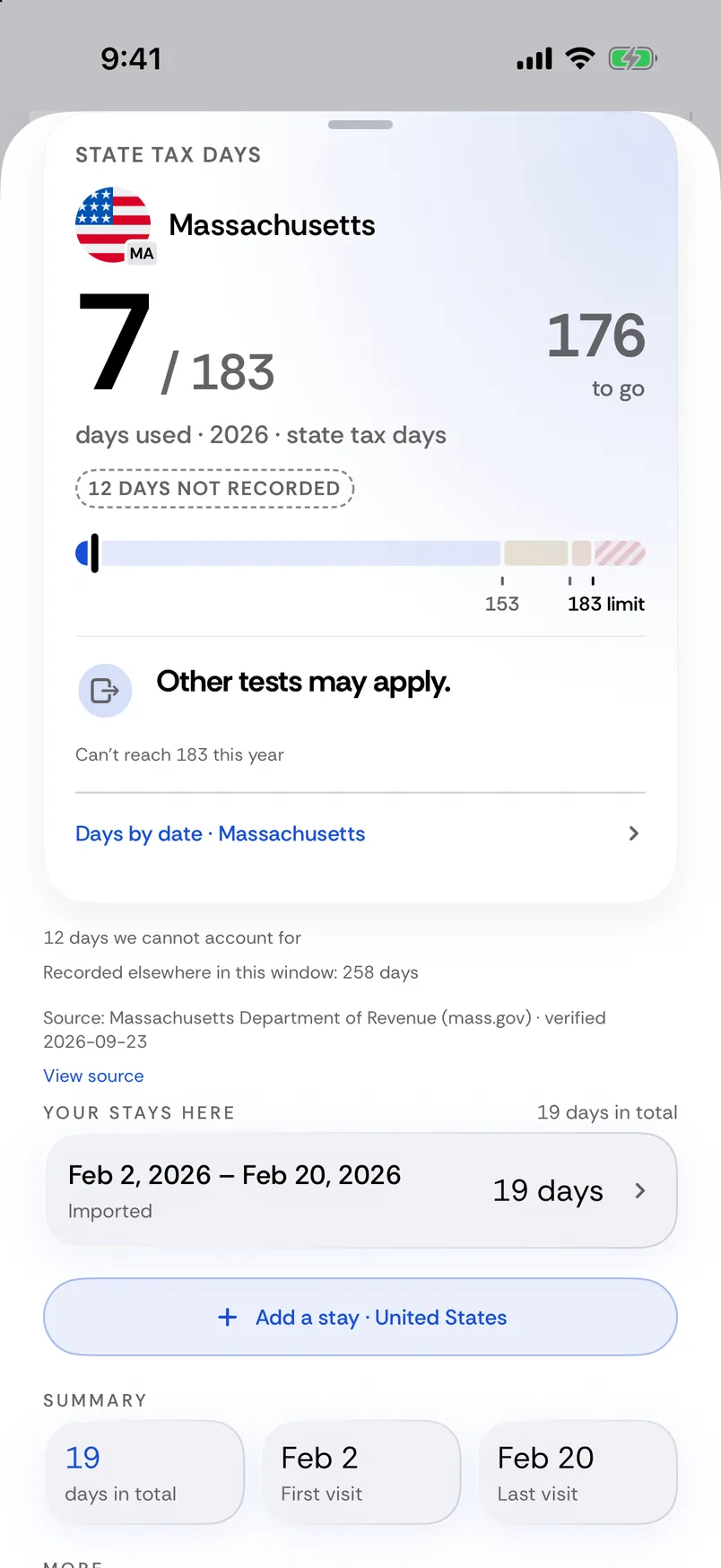





 Passport Days





 Premium









 Every counter, with days left and dates
 Automatic tracking from your location
 Widgets on your Home and Lock Screen
 Manual entry, export and CSV import
 Settings, Restore, Redeem code